


Automatically generate your PDFs from the PIM without DTP skills in 3 steps
Introduction
Are you looking for a way to automate the creation of PDFs, such as technical datasheets, mini catalogs, product sheets, etc., for yourself, your internal teams, and/or your partners? Discover how the Interactiv’ DataBase PIM/DAM software can help without any DTP (“Desktop Publishing”) skills!
⬇️ Reduce errors · ⏱️ Save time · 🔁 Instantly update product PDFs
Reminder and definition of PIM/DAM
For newcomers, let’s briefly explain what a PIM/DAM (“Product Information Management” and “Digital Asset Management”) is: it’s software that centralizes all commercial and marketing information about your products (reference, name, price, dimensions, images…) in a single platform.
At Interactiv’ Technologies, we are both the developer and integrator of our PIM/DAM : Interactiv’ DataBase.

Automating PDFs via the PIM software
To automate the creation of your documents, we offer our customers the ability to do it directly from the Interactiv’ DataBase PIM, where all their enriched, translated, and up-to-date product data is stored.
Thanks to the AI features in the PIM, you can provide real-time savings for your teams by generating content, detecting and correcting spelling and grammar errors, shortening or expanding product descriptions, translating content…
Free up your graphic design team’s time and create and export your documents independently in just a few clicks, without any design software skills!
Step 1: create the templates for your documents
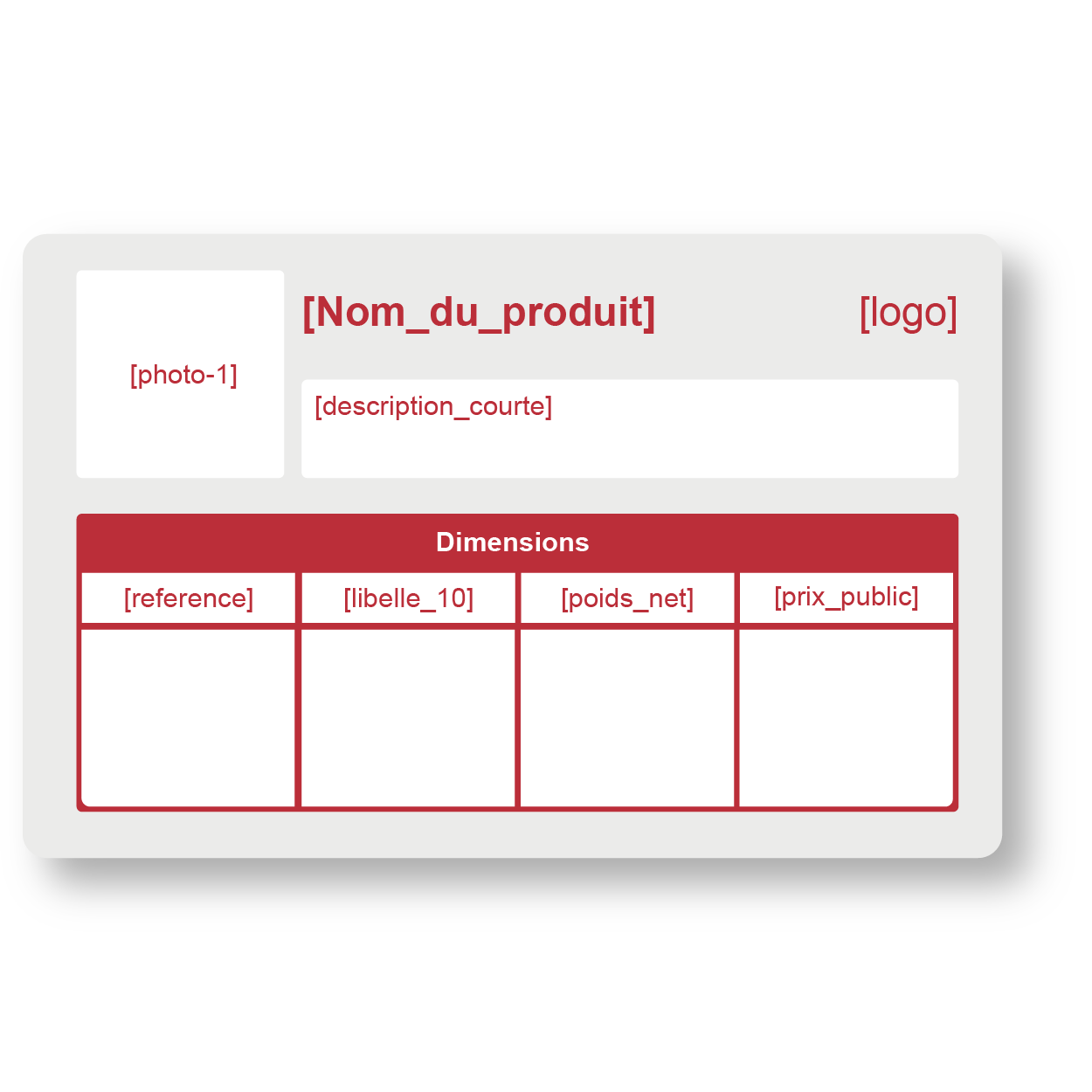
Independently, create your templates directly in the software. These are the models for your different documents, where you will place the data you want to appear in each of them.
You can easily customize each template’s settings, such as dimensions, portrait or landscape orientation, margins, as well as integrate your data in tables, set conditional rules, and more.
💡Once you acquire the Interactiv’ DataBase PIM, our team of expert consultants will train and support you until full implementation and beyond, with unlimited email and phone support, 5 days a week.

Step 2: customize the background to match your brand
Once your template is pre-configured, customize its background to best reflect your company’s visual identity: insert your logo, a colored background from your palette, choose your font…
Then add the text and image attributes of your products that you want to appear in your document: reference, product name, current date, photo, short description, price, etc., the associated values will then appear upon export.
Step 3: export anytime in bulk and automatically
Your template is now ready!
Simply select the product(s) you want and, with a few clicks, export them according to the template you created. Done!
💡Bonus: linking the Interactiv’ DataBase PIM/DAM with EasyCatalog (InDesign Plugin)
With the Interactiv’ DataBase PIM, you can also automate document creation in InDesign.
To do this, connect your product data from your PIM database directly to Adobe InDesign using the EasyCatalog plugin.
Thanks to this process, your designer will save time because changes made in the database, such as a price update, are automatically reflected in InDesign. Designers no longer need to worry about data accuracy and can focus more on layout design.
💡 The Interactiv’ DataBase PIM/DAM and EasyCatalog are independent software, so it is possible to purchase the PIM alone without the InDesign plugin, and vice versa.
Do you want to learn more about the Interactiv’ DataBase PIM/DAM ?
Feel free to contact us by email at [email protected] or by phone at 0 970 248 990.