


Why and how to use EasyCatalog automated layout in InDesign ?
The EasyCatalog plugin for Adobe InDesign integrates directly into the DTP software to facilitate the automated layout of catalogs, brochures, and marketing documents.
It enables the connection of a data source (Excel, XML, database, etc.) to your catalog, allowing you to populate all product data in one single step.
Automating your InDesign layouts allows you to handle high-volume product catalogs while drastically cutting down on design, editing, and proofreading cycles.
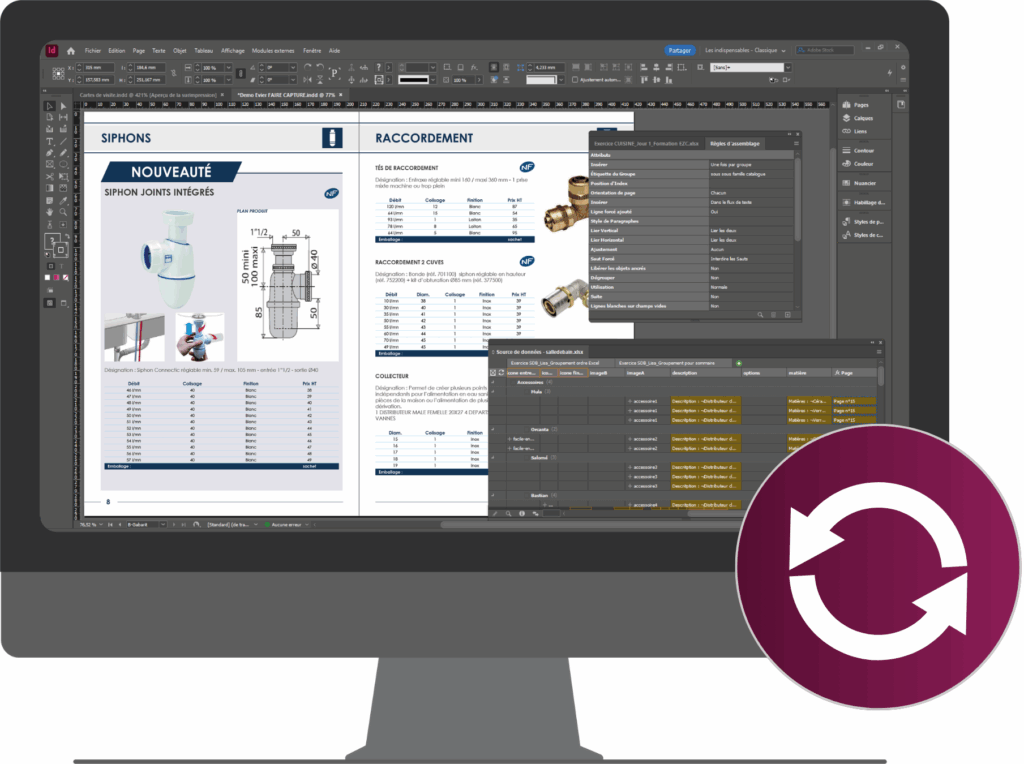
It’s also possible to update your catalog in a single click, which is ideal for keeping your sales documents constantly up to date.
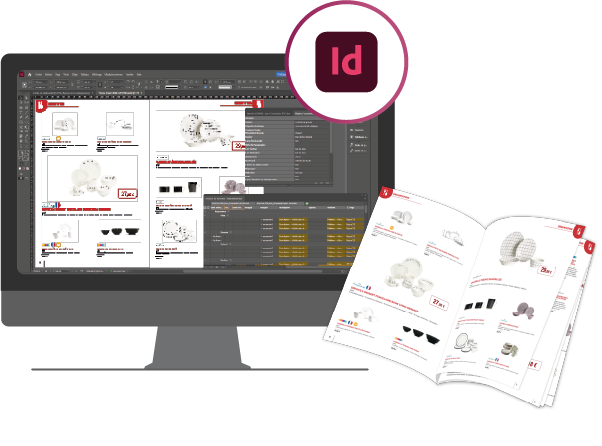
We recommend downloading the free trial version of EasyCatalog by clicking here. It is compatible with all InDesign versions from CS6 onwards, on both Windows and MacOS.
💡 Good to know: 30 days of free support is automatically included. This is perfect for getting started with a catalog automation tool for the first time!
The benefits of using automated layout
How to configure automated layout?
1. Direct connection with product data
The majority of EasyCatalog users use an Excel spreadsheet (.xls, .xlsx, or .csv files) listing all of their product data. To link Adobe InDesign with your Excel spreadsheet, you must format your data source correctly.
Database connectors can be set up to populate product data in the catalog, similar to using Excel files. This connection can be one-way or two-way: indeed, the EasyCatalog plugin enables you to sync updates back to your database directly from Adobe InDesign.
Many connectors are readily available for the leading databases, including MySQL, PostgreSQL, MariaDB, Oracle, FileMaker, and SQL Server.
💡 Good to know: If your company has a specific business data source, Interactiv’ Technologies can develop a tailored ODBC connector to meet your needs.
Once your data source is properly structured and the link with your catalog is established, EasyCatalog can truly reveal its power!

💡 Please note: As part of our EasyCatalog training, we assist our clients in structuring their data sources to ensure a great layout automation.
By downloading the EasyCatalog trial version from our website, you have 30 days of free access to our telephone support at no extra cost, handled directly by our expert team in France.
2. Design your templates for the layout
In Adobe InDesign, you can now design a master layout for a content area that will be repeated exactly as many times as there are products in your data source, completely automatically
Using the EasyCatalog panel, define exactly where your product data will be placed.
Once you are satisfied with the layout, you can move on to the next step to automate the process according to the design you have defined.


3. Automatically inject your data into the catalog
In a single click, EasyCatalog auto-generate your catalog layout with your entire dataset, respecting your established design rules. This is true automated layout. All that’s left for the designer is to adjust the aesthetics, by balancing empty zones or tweaking columns to achieve the perfect finish.
And that’s it! Your automated InDesign catalog is ready to go.
4. Refresh your catalog with one click
A last-minute change? An item suddenly withdrawn? No problem: EasyCatalog automatically updates your InDesign catalog based on data source changes, without breaking the existing layout. This is a massive time-saver for marketing, communication, and publishing teams…
This allows you to reuse the same framework for each new edition. You just need to update your database and enjoy fully automated product catalog generation.
what if you try automatic layout right now?
FAQ on automatic layout and EasyCatalog
What types of documents can be automated?
With EasyCatalog, you can automate several types of marketing documents: catalogs, directories, product sheets, technical data sheets, labels, price lists… EasyCatalog retrieves the stored information (price, description, image, technical specifications…) from your initial data source (Excel files, CSV, website, ERP, PIM…) and synchronizes it with InDesign to lay them out automatically in just a few moments on your desktop publishing layout.
What happens if I manually modify the text in InDesign?
You have the option to directly modify the text within your desktop publishing layout in InDesign. In this case, thanks to bidirectional synchronization, EasyCatalog will instantly detect this change and update the initial data source (either your Excel file or your database). In this manner, the information remains identical and consistent at all times between the data source and your InDesign print document.
Is it possible to make layout adjustments after automation?
Of course! EasyCatalog is a plug-in linked to InDesign, so you remain within the creative environment of the Adobe software. This allows you to perform minor creative adjustments manually, such as adding images to fill empty spaces, but also last-minute touch-ups on specific pages, without breaking the link with the source data.
Does automation allow for the management of complex layouts (tables, indexes)?
Yes, EasyCatalog allows you to automatically generate alphabetical indexes, tables, promotional pages, tables of contents… You simply need to set up layout rules and conditional formatting. This setup requires advanced knowledge of the layout automation plug-in. It is recommended to take a few training courses on the subject, offered by certified organizations like Interactiv’ Technologies, to ensure you properly master these rules and produce a layout that meets your standards

Written by Interactiv’ Technologies’ team