


The 6 main reasons to adopt a PIM
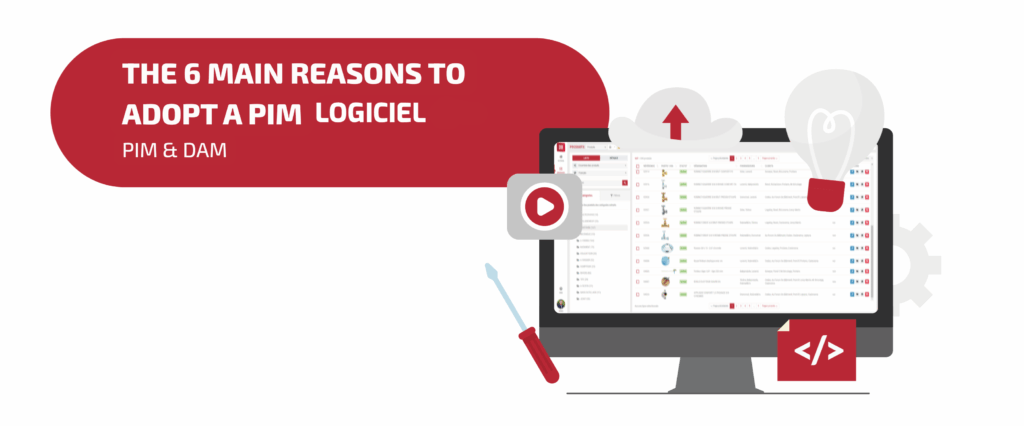
A PIM (Product Information Management) is a software solution that enables you to centralize all your product data, enrich it, and easily distribute it across your various sales channels (websites, e-commerce sites, applications, marketplaces, print catalogs, digital catalogs…).
In an increasingly digital and interconnected world, a PIM has become an essential tool, widely used within companies.
Why such strong interest in this type of software? What are the 6 main advantages of a PIM? That’s what you’ll discover in this article.

Table of contents
- 1. A PIM to centralize your product data
- 2. A PIM to easily distribute up-to-date product data across your sales channels
- 3. A PIM to collaborate as a team on the same product data
- 4. A PIM to reduce the risk of errors
- 5. A PIM to easily manage your multilingual content
- 6. A PIM to generate technical sheets / product sheets… directly in the software
- To go further…

1. A PIM to centralize your product data
A PIM allows you to centralize your product data in a single place, within your own database, whether it concerns your marketing and sales data (descriptions, prices, sales arguments, references…) or your logistics data (batch size, item management code, EAN code, etc.).
Using a PIM therefore helps limit the number of information sources and data files. Thus, you can group all your product data in one place within a PIM software solution. Note, however, that a PIM is not incompatible with an ERP since many companies choose to connect their ERP with a PIM software to complement it with more marketing and sales-oriented information).
As a result, using a PIM eliminates the drawbacks associated with having multiple data sources, such as:
- not knowing where to find the product data,
- the risk of using the wrong version of an Excel file or accessing outdated product data,
- duplicate data sources,
- overwriting backups when several people work on the same Excel file,
- the inability to track changes made to data,
- etc.
In addition, many PIM solutions include a DAM (Digital Asset Management) module that acts as a media library. This allows you to also centralize your media assets and manage their organization, format, file type, associated metadata, and distribution.


2. A PIM to easily distribute up-to-date product data across your sales channels
Among the essential features of a PIM, the omnichannel distribution is a key point. Thanks to the product data classification within the PIM, data can be grouped by sales/ distribution channel (print, online catalog, website, marketplace, etc.) and can differ depending on the channel.
Indeed, for the same product, you can assign different attribute values in your PIM depending on the distribution channel. For example, for a same product, you can enter a long product description for your e-commerce website and a shorter one for your catalog (since space is limited in a catalog).
Moreover, it is possible to control the visibility of the product in the channels, and to decide if a product will appear in one channel and not in another.
Furthermore, you can directly connect your PIM to your various distribution channels (via exports, data feeds, or connectors). This gives you a single data source for all your media (with channel-specific data), allows you to modify your product information directly in your centralized product information management tool, and to easily update your data across different channels. Changes made in the PIM will be automatically reflected in the distribution channels, ensuring fast and reliable updates.
Let’s take the example of a clothing brand managing 4,000 products
Before implementing a PIM, our customer, specialized in the textile retail, used several Excel files shared between marketing, sales, and graphic design teams… In the end, they had three different versions of the same file, with inconsistent descriptions between their e-commerce website, marketplaces, and a print catalog production exceeding 6 weeks.
They turned to Interactiv’ Database in order to centralize their product data, harmonize descriptions across sales channels, and automate update workflows.
As a result, they saved one day in their catalog production time, have eliminated their errors, standardized their product files, and observed a 50% reduction in the time spent distributing product information across sales channels.
3. A PIM to collaborate as a team on the same product data
The PIM product database is collaborative, and can be used by the users you define (marketing team, sales team, management, suppliers,…).
You can assign specific roles to each user or department and define viewing and editing rights accordingly. For example, the marketing team can view and edit marketing attributes, while suppliers can access only the product ranges they sell.
These settings make collaboration easier and faster while reducing the risk of errors. You build a complete, consistent database and improve responsiveness.
Many PIM solutions are available as SaaS software. This allows access to your database via a web connection, directly in your browser, using login credentials. You can therefore access the platform anytime, anywhere, and from any device.
If you previously relied on Excel or CSV files, using a collaborative database is even more beneficial. With a PIM, there is no longer a need to notify your team when a file is opened or modified, and issues related to saving conflicts or data loss in Excel/CSV files are eliminated.


4. A PIM to reduce the risk of errors
In a PIM, many settings and features help limit errors, including:
- You can standardize your data. For example, you have the possibility to define the specifications of each field (text, date…), and to add rules (maximum number of characters, uppercase-only characters, etc.) so that only compliant data can be entered.
- Concerning the access and modification, only authorized persons can modify data, based on user and role settings. For example, suppliers can be restricted to editing only the products they supply.
- If an error occurs, the modification history allows you to identify when and how it happened and revert to a previous version.
- For an additional validation step, you can use the feature “validation workflow” to secure the changes in your database. It will apply a checking and validation process by another user/role. For example: a modification submitted by one user is only applied after approval by another designated user.
5. A PIM to easily manage your multilingual content
You can directly manage your translations in the PIM.
You define which attributes are translatable, making it easier to integrate multilingual content. For example, for the same “description” attribute, you can assign different values depending on the language (an English description, a French description, etc.). All language versions are stored separately within the same product.
Let’s take the example of an industry customer
A French manufacturer of mechanical components managed 750 technical data sheets in six languages using manually translated Word documents. Any change to a term or technical parameter required updating every document individually, leading to inconsistencies, errors, and potential customer dissatisfaction.
They turned to us to implement a PIM solution. The results were striking: technical attributes were centralized and standardized, teams managed translations directly in the PIM, technical sheets were automatically generated in six languages, and updates were automatically applied across all sales channels and media.
In the end, they observed an 80% reduction in technical errors and significant time savings thanks to multilingual automation.

6. A PIM to generate technical sheets / product sheets… directly in the software
A built-in PDF creation tool is included in many PIM solutions. This allows you to create custom PDFs by pulling data fields (product attributes) and applying graphic customization.
As a result, generating technical sheets, product sheets, and other concise documents related to product data becomes much easier.
Since the data comes directly from the PIM, you can be sure the documents are always up to date. These PDFs can then be added to your website, sent by email, attached to publications, shared with the sales team, printed, and more.
Want to see what a PIM software looks like in practice?
There are many other advantages to adopting a PIM solution, as well as some constraints. To go further, you can consult our complete guide on PIM.
You can also contact us by email at contact@interactiv.tech or by phone at +33 970 248 990.

Written by the Interactiv’ Technologies team